Music
Planner
Rehearsal to stage, for bands. Setlists, stems and chord charts in one app, with a LIVE mode that runs the show.
- What I did
- Everything: product, design, web, iOS, the API and the stem worker
- Runs on
- The web, iPhone and iPad
- For
- Bands, worship teams, wedding bands and music teachers
Free for your first band
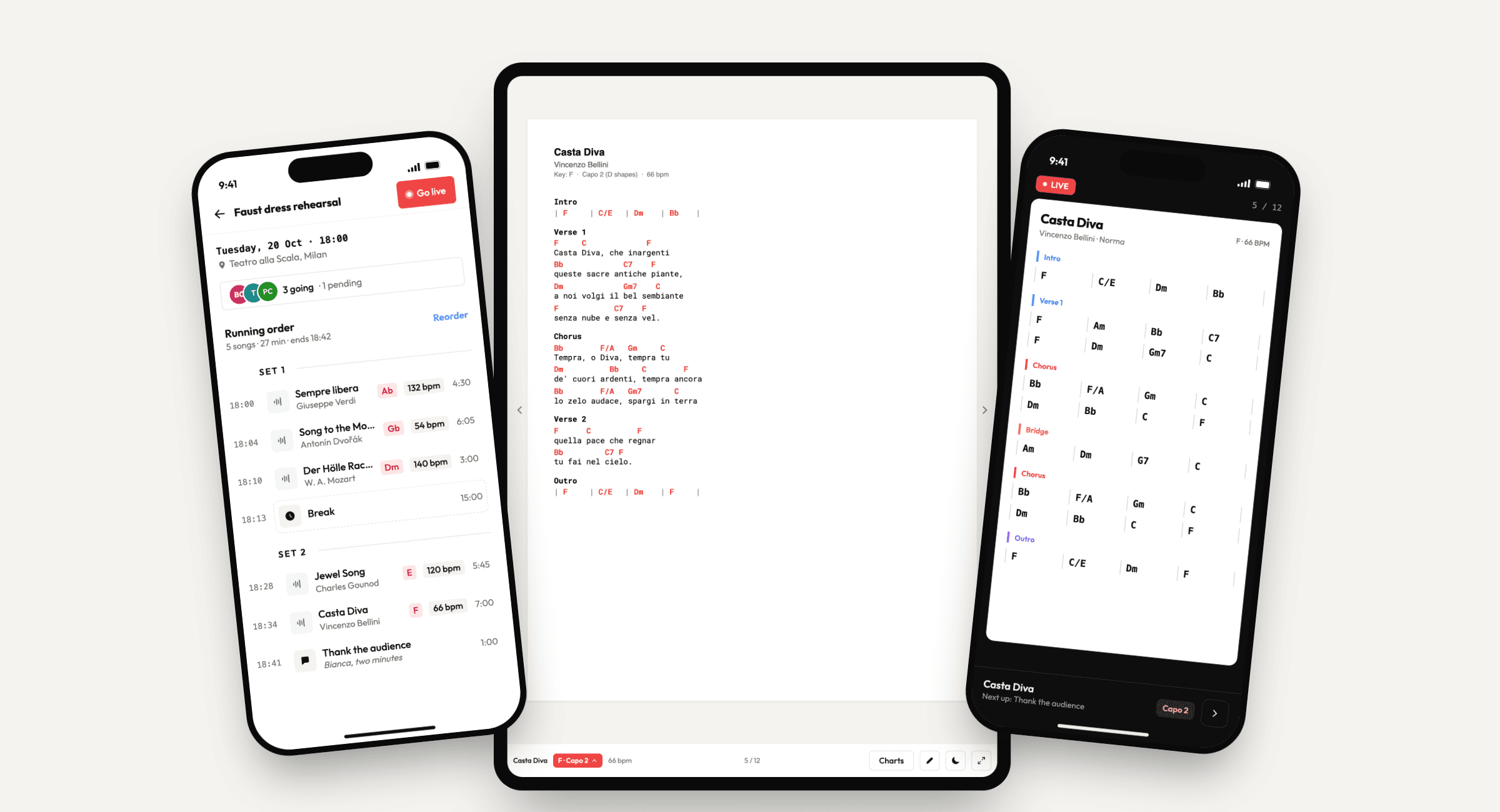
A band's week used to live in five places: a group chat for who's coming, a folder of PDFs, a video to practise with, a printed setlist taped to the floor and somebody's memory of the key.
Music Planner puts all of it in one place for the whole band, then gets out of the way on stage. Three parts of the week, three parts of the app.
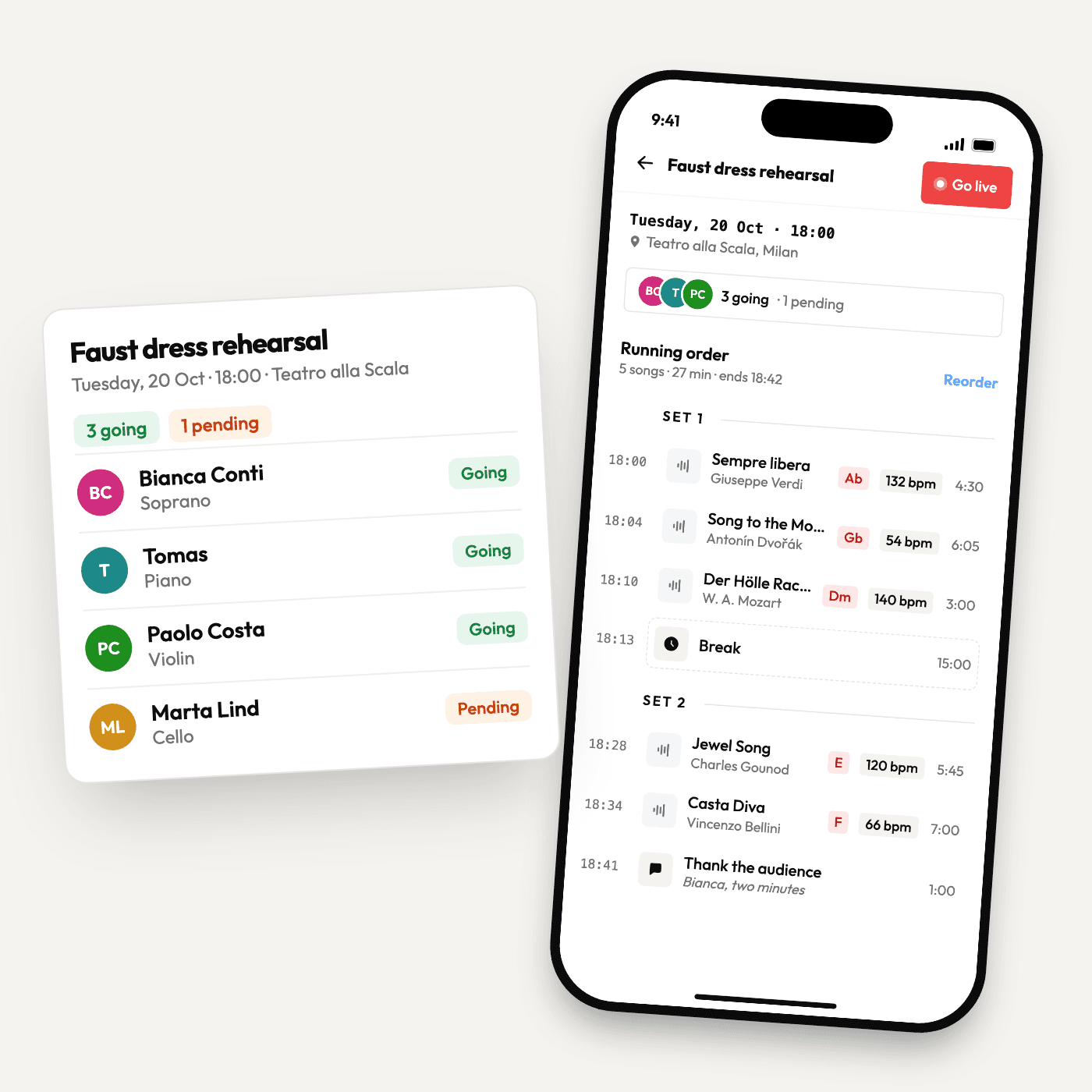
Who's coming, what we're playing, and when.
Every gig and rehearsal gets a running order with start times, keys and tempos, split into sets with breaks between them. The band answers going or can't make it, and the ones who haven't answered get a reminder.
- A running order you drag into shape
- Going, can't make it, pending
- Recurring rehearsals and reminders
- A chat on every setlist
- PDF export for the old-school
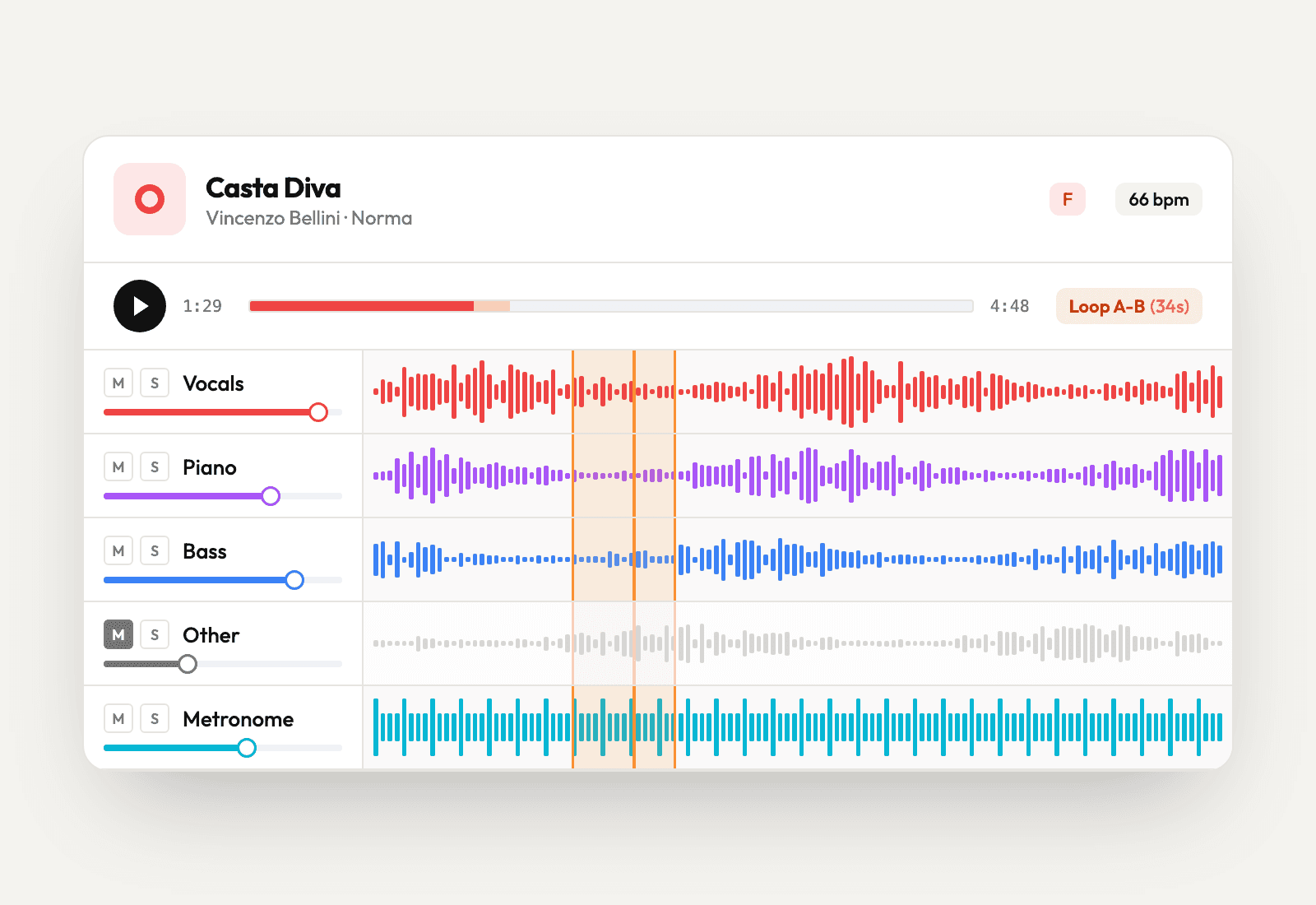
Every part on its own track.
Upload a recording and a GPU worker splits it into vocals, drums, bass and the rest. It also finds the key and tempo, adds a click track and draws the waveforms. Mute your part and play along, loop the bar you keep missing, slow it down without changing the pitch.
- AI stem separation
- Key and tempo detection
- A generated metronome track
- A-B loops
- Tempo and pitch, changed separately
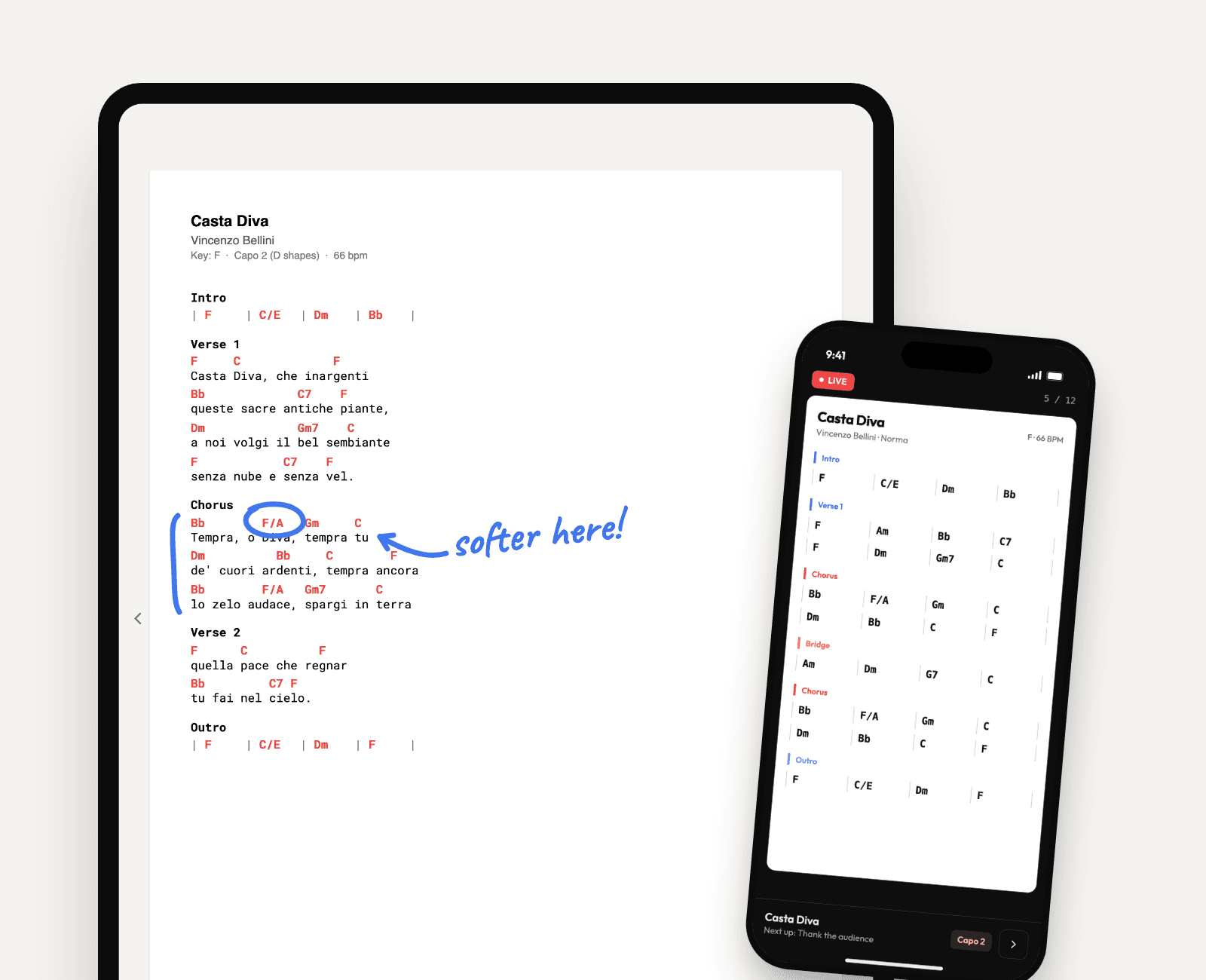
Nothing to fumble with on stage.
LIVE turns the setlist into full-screen chord charts, one song after the other, with what's next always in view. On a landscape tablet it shows two pages side by side. Every player sets their own capo and pencils their own notes onto the chart, and the charts are kept on the device, so a venue without signal doesn't matter.
- Full-screen charts, song by song
- Two pages side by side on tablets
- A capo for each player
- Pencil notes on the chart
- Works without a connection
- Keyboard shortcuts for hands-free control
Under the hood
The heavy work happens after upload. A song goes through a queue to a GPU worker, and comes back as everything a musician needs to learn their part.
Upload
MP3, WAV or FLAC from anyone in the band
Queue
The API hands the song to a BullMQ job
GPU worker
Demucs on RunPod
The band
Every member hears the stems in their player
PDF charts in, ChordPro out
Bands already have their charts as PDFs. Claude reads them and writes ChordPro, so a chart can be transposed and set to anyone's capo instead of staying a picture.
Notes that land in the same place
Pencil strokes are stored in the chart's own coordinates, so a note made on an iPad lines up on the web. Drawing runs off small scoped stores, so the rest of the screen doesn't re-render under your pencil.
Ready when the Wi-Fi isn't
The iOS app keeps up to 150 charts in its documents folder rather than a cache the system can clear, and keeps its data on disk, so the show still opens in a basement with no signal.
Practice without the round trip
Tempo and pitch change in the browser through a SoundTouch audio worklet, and loops are saved per player and song, so practice picks up where it stopped.
Built with
Got a band?
Take it for a gig.
Music Planner is free for your first band, with no card needed.
Odense, Denmark ·Available now
Got an idea?
Tell me about it.
Big, small, half-baked or a bit weird, I'd love to hear it. One sentence is plenty to start.